Face photos often contain more information than we notice. A profile picture can include a name tag, a house number, a school logo, an ID card, a car plate, a screen reflection, or location metadata.
Nukkimon is designed to process images in your browser, but you should still review sensitive photos before using any online image tool.
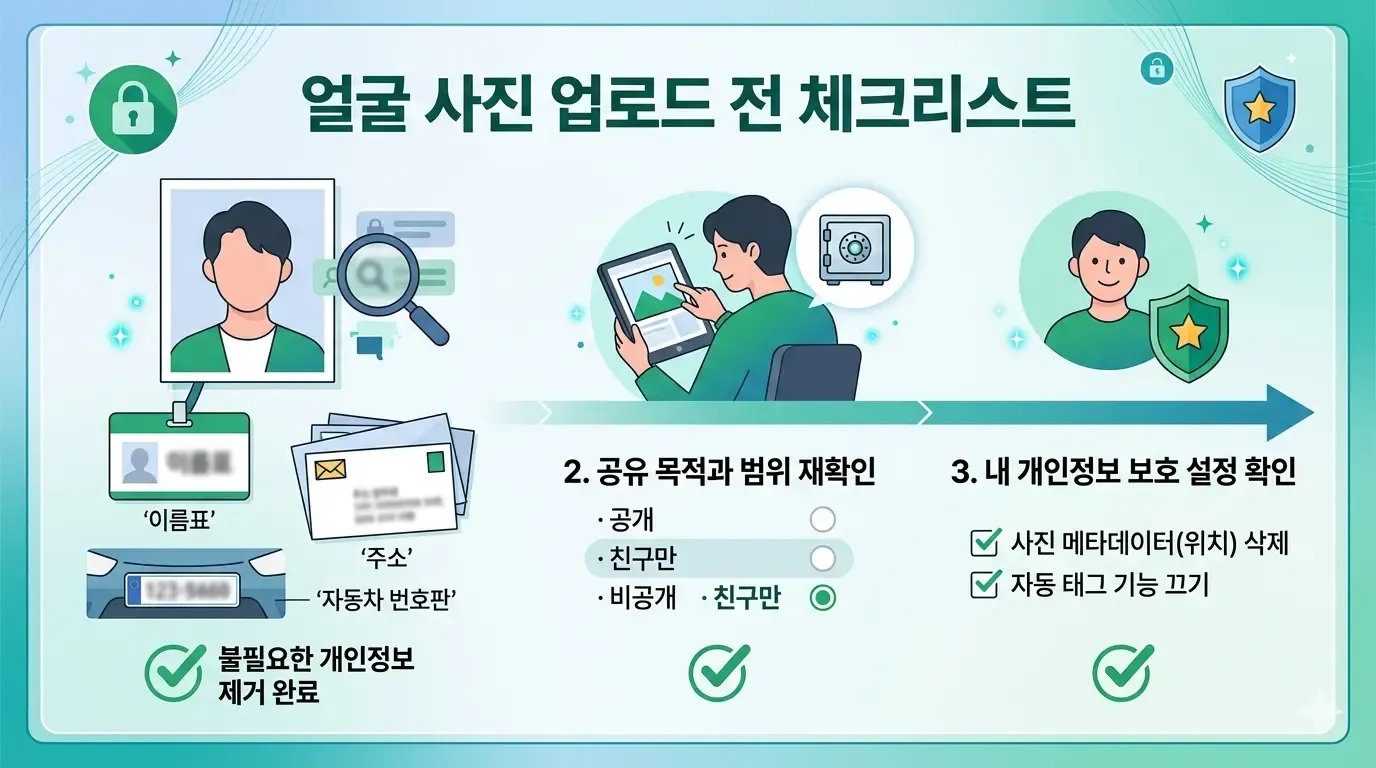
What to check before editing a face photo
Use this quick checklist before uploading or selecting a face photo:
- Is an ID card, badge, student card, or employee card visible?
- Are addresses, delivery labels, tickets, or documents visible?
- Is a license plate visible in the background?
- Is a screen, mirror, window, or shiny surface reflecting private information?
- Does the photo include children or people who did not agree to the use?
- Does the file contain location metadata?
- Is the final use public, commercial, or long-term?
If the photo will be used publicly, review it at full size before editing.
Browser-based processing helps, but it is not the whole story
Nukkimon’s image tools are designed to run inside the browser. That means selected images are processed on your device and originals are not stored on our server.
Still, privacy is not only about server uploads. You also need to think about what is visible in the photo, where the final image will be posted, and whether other people in the photo agreed to that use.
Watch for information in the background
Background removal can hide a messy room or street scene, but the original image may still contain private details before editing. Common examples include:
- school names on uniforms
- apartment signs or house numbers
- mail, receipts, or invoices
- computer screens
- car license plates
- name tags and workplace badges
If sensitive details are visible, crop or blur them before sharing the image publicly.
Check faces and consent
If someone else is visible in the image, think about whether they agreed to the edit and publication. This is especially important for children, customers, employees, event attendees, and group photos.
For profile photos, resumes, and professional pages, use an image where only the intended person is visible.
Metadata can also matter
Many image tools strip metadata during export, but you should not rely on that without checking. Camera files can contain EXIF data such as capture time, device information, and sometimes location.
If privacy is critical, export a new copy and check metadata before publishing.
Safer workflow for face photos
- Choose a photo with a simple background and no private objects.
- Crop out unnecessary surroundings.
- Remove the background or blur the background.
- Inspect the result at full size.
- Save the final image and upload only the final version.
For resumes and application photos, also confirm the official size, background color, and crop requirements.
Related tools and guides
FAQ
Are my photos stored on Nukkimon’s server?
Nukkimon is designed to process selected images in your browser. Originals are not stored on our server.
Should I upload an ID photo?
Avoid using images that show IDs, addresses, or official documents unless you have removed unnecessary information and understand the risk.
Is background removal enough for privacy?
Not always. If private details are inside the subject area or reflected in the image, background removal may not hide them.